Oversized "TOILET" Keyring for Workshops & Garages
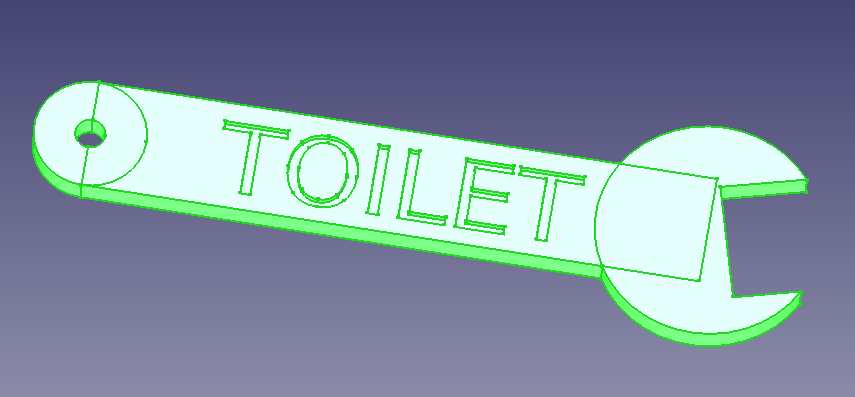
This is a large, spanner-shaped keyring designed specifically for the essential keys that always seem to go missing in a busy shared environment like a garage or workshop. Clearly and humorously labeled "TOILET," this keyring is a practical and robust solution to a common problem.
The Problem:
In a busy garage, keys for common areas like the restroom are handled by many different people throughout the day. Standard-sized keys are small, easily forgotten, and can accidentally slip into a pocket and be taken home. This leads to frustrating searches, wasted time, and the potential need to cut new keys.
The Solution:
This oversized keyring is designed with a simple but effective principle in mind: make it impossible to forget and awkward to pocket.
-
Large and Unwieldy: At 18cm (approx. 7 inches) long, the keyring is substantial. Its size and shape make it immediately noticeable and uncomfortable to put in a pocket, strongly encouraging users to return it to its designated hook immediately after use.
-
Clear Identification: The large, debossed text "TOILET" instantly identifies the key's purpose, avoiding confusion with other vehicle or tool-chest keys.
-
Robust and Thematic Design: The spanner shape is a perfect fit for a garage or workshop environment. It's a fun, thematic design that is also highly durable when 3D printed with standard materials like PLA or PETG.
-
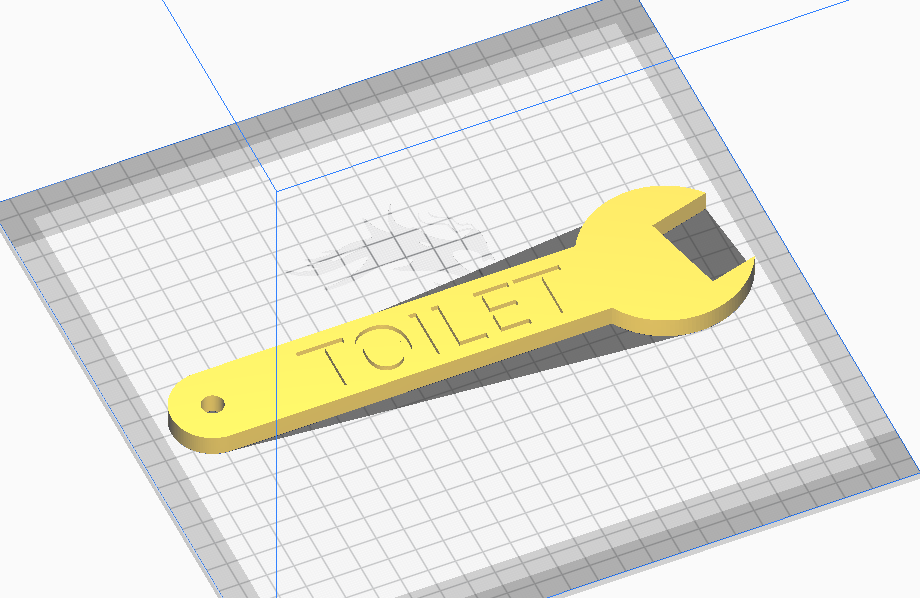
Easy to 3D Print: The model is a single, solid piece designed to be printed flat on the bed of any standard 3D printer (20x20cm or larger) without needing complex supports.
This isn't just a keyring; it's a practical key management solution. By making the key difficult to lose, you ensure it's always available when needed, saving everyone time and hassle.
Files
- Sliced gcode file ready for printing on an Ender 3 CE3_SpannerKeyring-Spanner_Keyring.gcode
- STL model SpannerKeyring-Spanner_Keyring.stl
- FreeCAD file SpannerKeyring.FCStd
- Python Macro for FreeCAD SpannerKeyring-Spanner_Keyring.py
How to Use the Script in FreeCAD:
-
Open FreeCAD.
-
Switch to the "Macro" menu.
-
Select "Macros..."
-
In the dialog box, click "Create".
-
Enter a name for the macro, for example, "SpannerKeyring", and click "OK".
-
A new tab will open with a blank Python script.
-
Copy the Python code below and paste it into the script editor.
-
Click Macro, then "Execute Macro" (green play button) icon to run the script or press Ctrl + F6.
-
The spanner keyring will be generated in the 3D view.