Oversized "TOILET" Keyring for Cafes & Restaurants (The Giant Spoon)
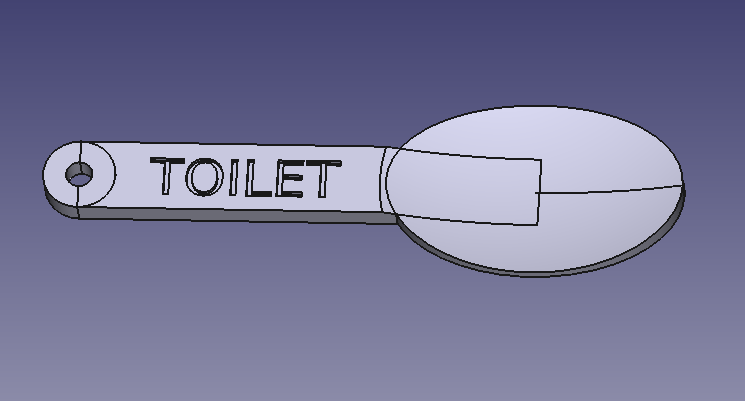
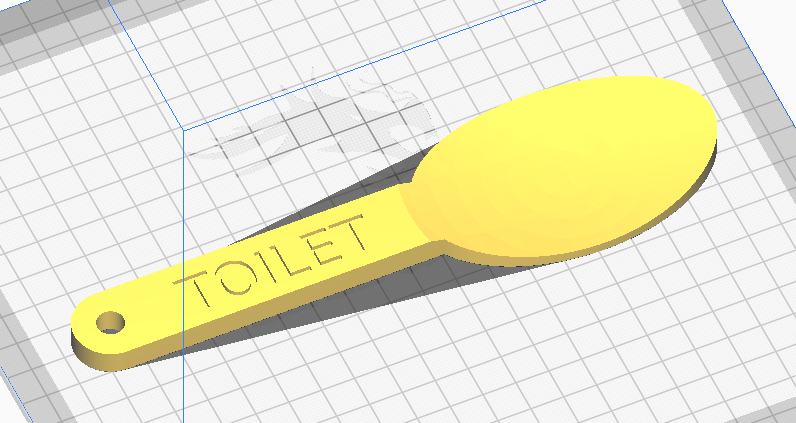
This is a classic and humorous solution to one of the most persistent problems in any cafe or restaurant: the wandering restroom key. Labeled clearly with the word "TOILET," this giant spoon keyring is the perfect blend of form, function, and fun for any hospitality business.
The Problem:
We've all been there. A customer asks for the restroom key, and it's missing. Standard keys are small, easily mistaken for personal keys, and frequently slip into a pocket or purse by accident. This results in wasted staff time searching, inconvenience for other customers, and the recurring cost and hassle of replacing lost keys and locks.
The Solution:
This oversized spoon keyring solves the problem with a simple, brilliant principle: make it charmingly impossible to forget.
-
Hilariously Oversized: At 20cm (approx. 8 inches) long, this spoon is too large and awkward to be pocketed accidentally. Its noticeable size serves as a constant physical reminder, ensuring it's returned to its designated hook right after use.
-
Thematic & Charming: A giant spoon is the perfect thematic accessory for any establishment that serves food and drinks. It’s a fun, quirky detail that adds character and can even bring a smile to your customers' faces.
-
Clear Identification: The large, debossed text instantly identifies the key's purpose, eliminating any confusion.
-
Easy to Print & Clean: Designed to be printed flat on any standard 3D printer, this model is simple to produce in durable, easy-to-clean materials like PLA or PETG.
Stop the endless key hunt. By printing this keyring, you're not just making a key harder to lose; you're adding a memorable, practical, and whimsical touch to your customer experience.
Files
- Sliced gcode file ready for printing on an Ender 3 CE3_SpoonKeyRing.gcode
- STL model SpoonKeyRing.stl
- FreeCAD file SpoonKeyRing.FCStd
- Python Macro for FreeCAD SpoonKeyRing.py
How to Use the Script in FreeCAD
-
Open FreeCAD.
-
Switch to the "Macro" menu.
-
Select "Macros..."
-
In the dialog box, click "Create".
-
Enter a name for the macro, for example, "SpannerKeyring", and click "OK".
-
A new tab will open with a blank Python script.
-
Copy the Python code below and paste it into the script editor.
-
Click Macro, then "Execute Macro" (green play button) icon to run the script or press Ctrl + F6.
-
The spanner keyring will be generated in the 3D view.