How To Force VS Code To Open Files In A New Tab
To force VS Code to open every file in a new tab (instead of reusing the same preview tab), you need to disable preview mode. Here’s how:
Step 1 - Open Command Palette
- Open Command Palette:
Ctrl+Shift+P
Step 2 - Open Settings
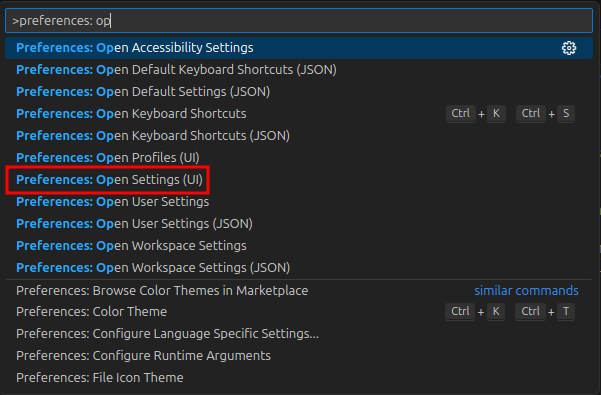
- Type and select:
Preferences: Open Settings (UI)
Step 3 - enablePreview
-
Search for: workbench.editor.enablePreview
-
Uncheck setting
Workbench › Editor: Enable Preview
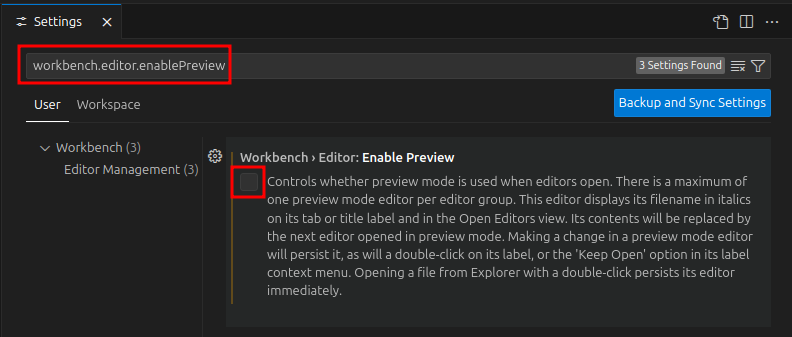
- This ensures every file opens in a dedicated tab instead of reusing a single preview tab.