Simple Box G Code
Goal The goal of this procedure is to draw a simple box 10x10mm.
Relevant Marlin 3D Printer Firmware running on Arduino Mega with RAMPS 1.4 shield. Controlled via Pronterface.
Procedure The procedure below is a simple gcode example that will show how to draw a simple 10mm box.
- Create a text file with the following code. In this example, we will call the text file box10x10mm.g
G91
G1 X10
G1 Y10
G1 X-10
G1 Y-10
Note: This G-code is suitable for CNC mills and many laser cutters that accept standard G-code for vector engraving or cutting. When using a laser, check that your firmware supports laser mode and set appropriate power and speed commands for safe operation.
-
Open Pronterface
-
Click the Connect button, to connect to the device.

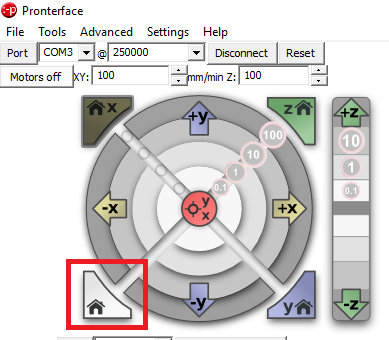
- Click the Home button, to home all of the axis.
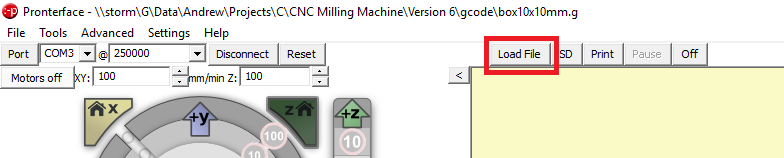
- Click the Load File button.
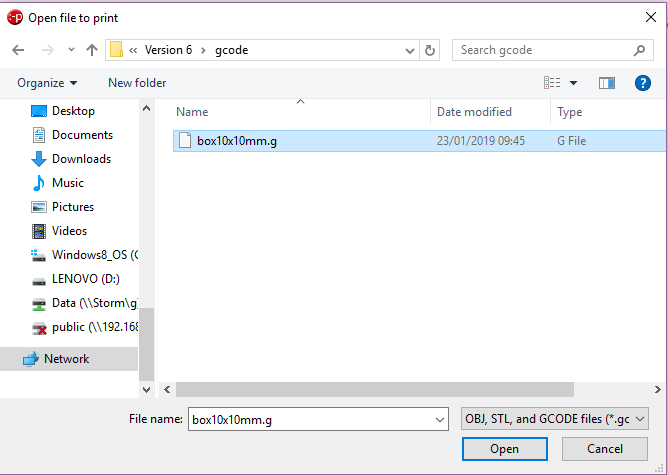
- Select the file created in step 1.
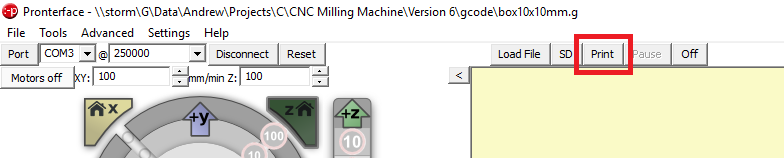
- Click the Print button.
Related Files
- https://github.com/seafooood/andrew-seaford.co.uk/tree/main/docs/milling-machine-cnc/simple-box-code