How To Hide Address In Prompt On Windows
Introduction
The default terminal prompt on Windows shows the current directory (e.g., c:\users\harry). However, when creating tutorials, sharing screenshots, or simply aiming for a more minimalist look, you might prefer to hide this information.

In this tutorial we will hide the address in the command prompt.
In this tutorial we will hide the address in the command prompt.
To set the command prompt to a custom prompt of ">" greater-than sign character, enter the command.
prompt $g

Perminatly create custom prompt
If you want the custom prompt to apply automatically when you start a command prompt, you can set the PROMPT environment variable.
setx PROMPT $g
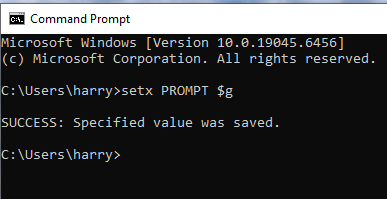
On the next launch of the command prompt, you'll see your new prompt.
