Image Contour detection and display using OpenCV
In this example we threshold the image based on the position of the track bar. Then find contours on the image an display the contours as white lines.
#include "stdafx.h"
#include "cv.h"
#include "highgui.h"

// global variables
IplImage* input = NULL;
IplImage* gray = NULL;
int threshold = 100;
CvMemStorage* storage = NULL;

/** trackbar event
 * @param trackbar position
 */
void on_trackbar(int)
{

	if (storage == NULL)
	{
		// create storage
		gray = cvCreateImage(cvGetSize(input), 8,1);
		storage = cvCreateMemStorage(0);
	}
	else
	{
		// clear storage
		cvClearMemStorage(storage);
	}

	// convert to gray scale and then threshold
	cvCvtColor(input, gray, CV_BGR2GRAY);
	cvThreshold(gray,gray,threshold,255,CV_THRESH_BINARY);

	// find the edges
	CvSeq* edges = 0;
	cvFindContours(gray, storage, &edges);
	cvZero(gray);
	if (edges)
	{
		// display the edges as whiet lines
		cvDrawContours(gray, edges, cvScalarAll(255),cvScalarAll(255),100);
	}
	cvShowImage("Input", gray);
}

/** main function
 * @param argc arguments
 * @param argv argument values
 * @return exit code
 */
int _tmain(int argc, _TCHAR* argv[])
{
	// open and display input image
    input = cvLoadImage("test.jpg");
    cvNamedWindow("Input", CV_WINDOW_AUTOSIZE);
    cvShowImage("Input", input);

	// create trackbar callback
	cvCreateTrackbar("Threshold", "Input", &threshold, 255, on_trackbar);
	on_trackbar(0);

	// wait for user
	cvWaitKey(0);

	// garbage collection
	cvReleaseImage(&input);
	cvDestroyWindow("Input");
	return 0;
}
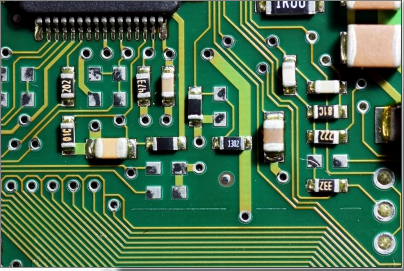
The input image
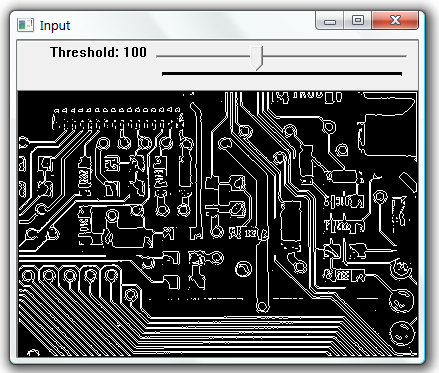
Threshold value 100
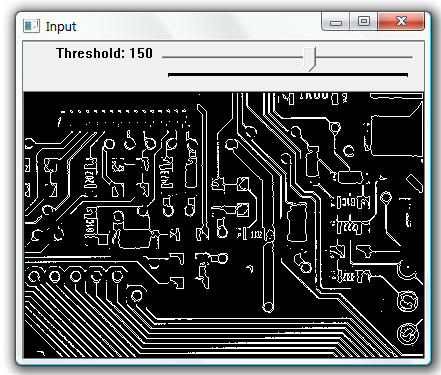
Threshold value 150
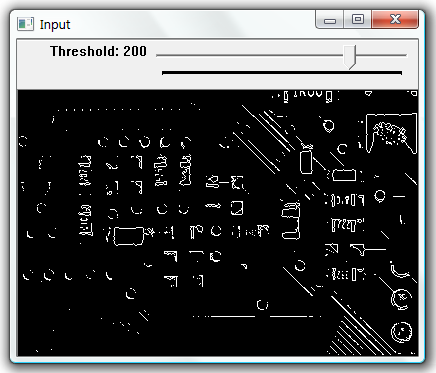
Threshold value 200